Skip to content
foogy

Zevo Gigs

Gigs is the part of Zevo that turns a fleet's care work (a clean, a charge, a tyre check) into jobs for drivers.

Type
Driver app and partner console
Client
Zevo
Role
Designer and builder, with AI agents
Year
2026
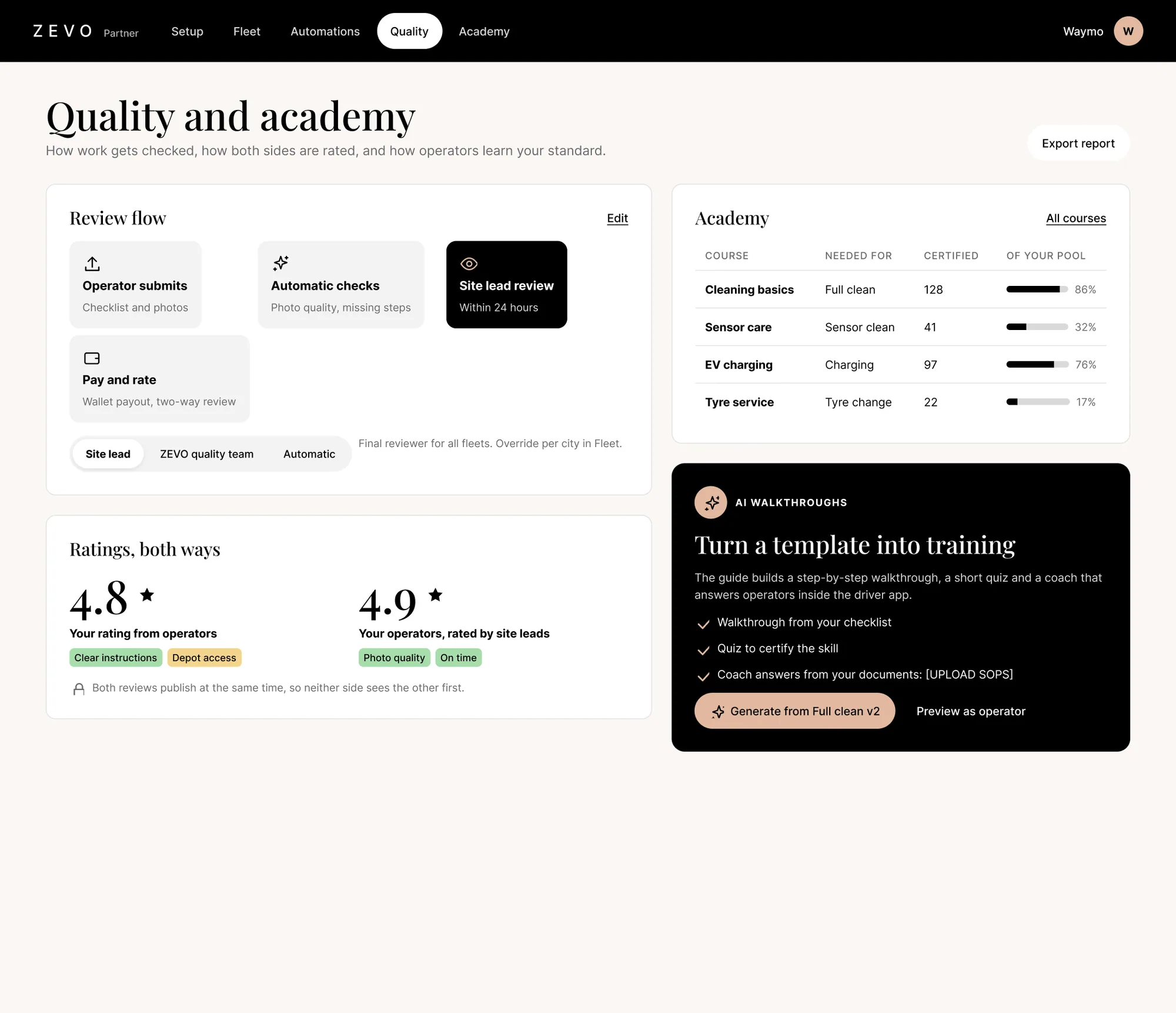
  • Driver app home: Gigs selected next to Rent EV and Skills, a driver priority banner, a Where and Skill search, Your skills (cleaning and charging certified, sensor care to apply for) and priority gigs with their pay.
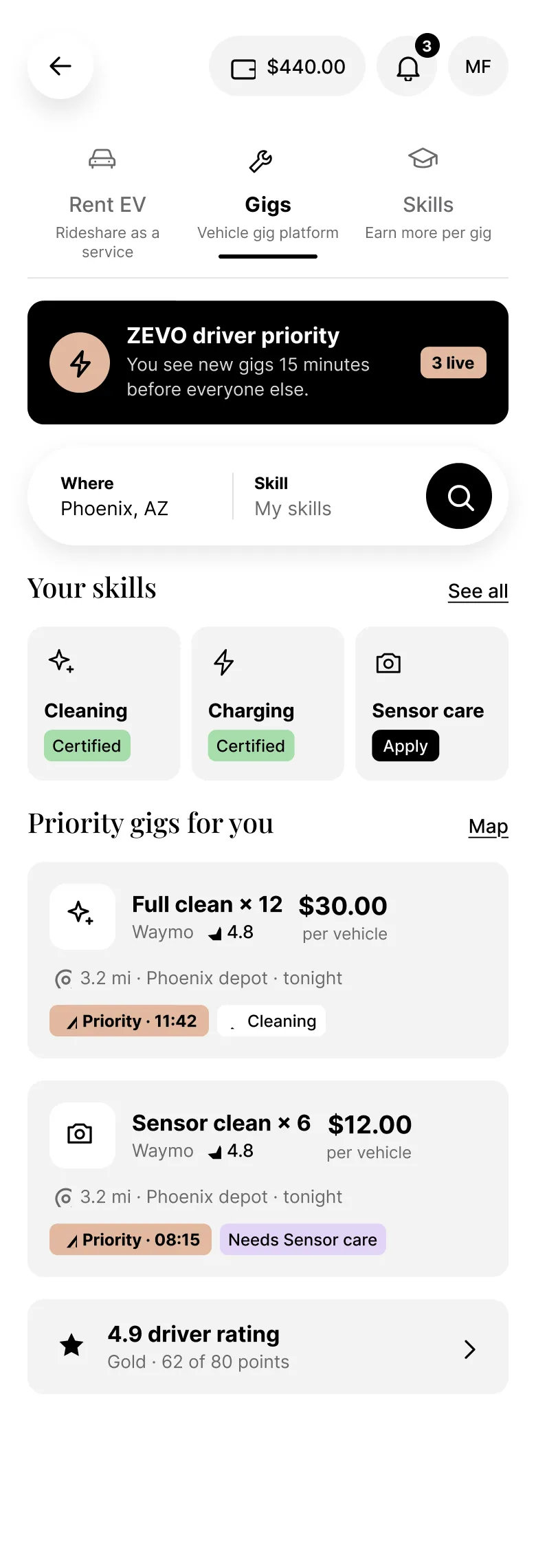
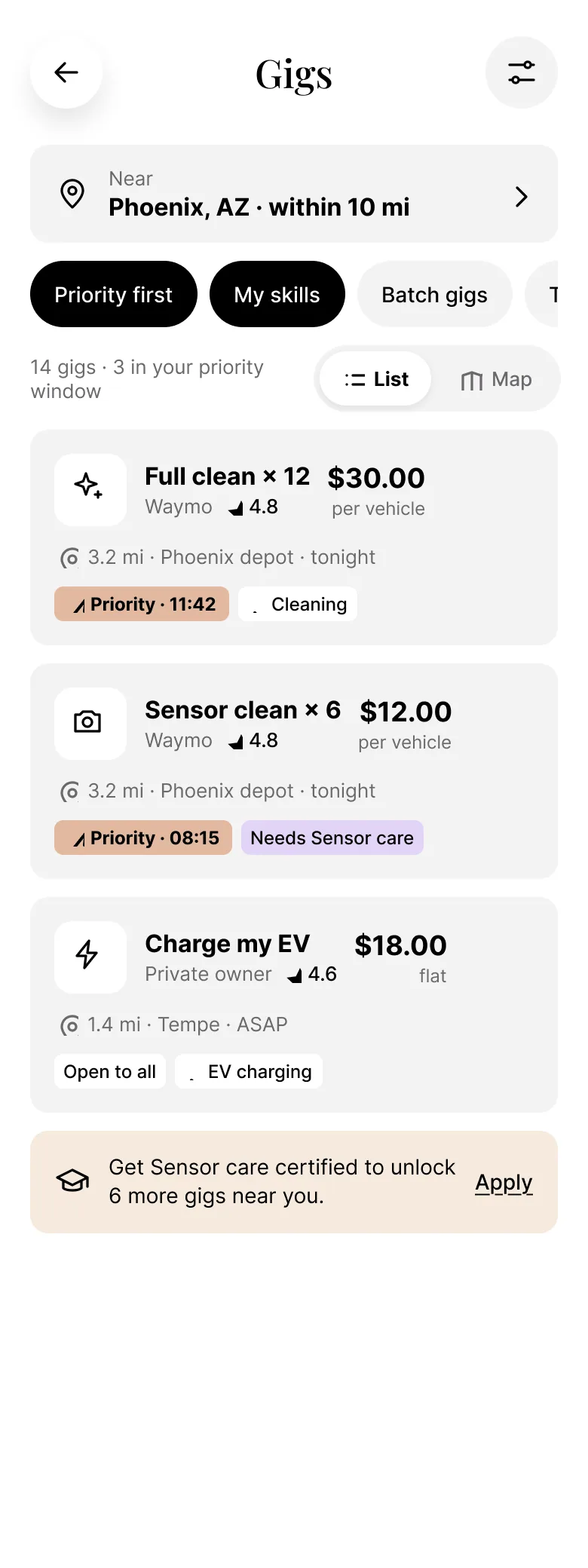
  • Gigs list near Phoenix within 10 miles: filter chips, 14 gigs with 3 in the priority window, and gig cards with the task, partner, rating, distance, pay and a priority countdown.
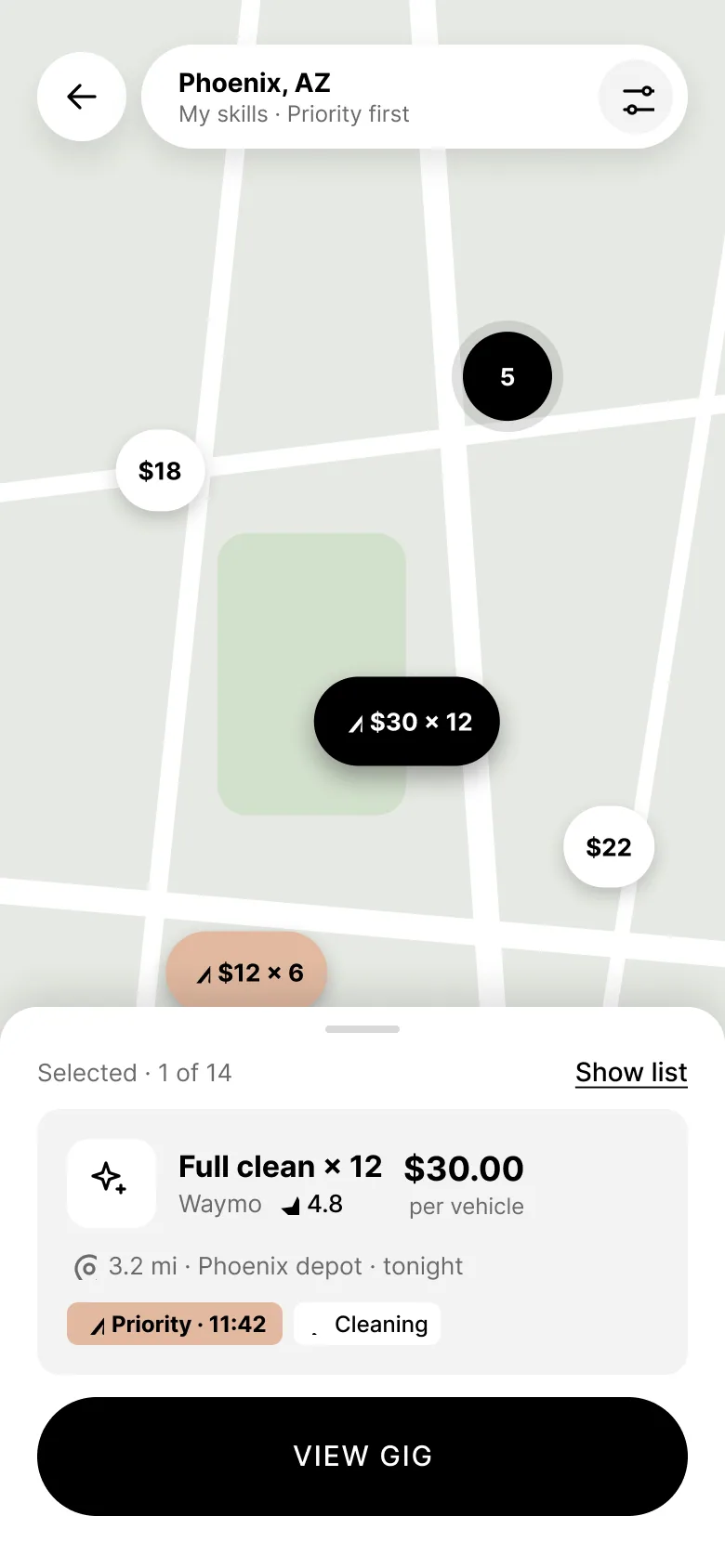
  • Gigs map of Phoenix: price pins and a cluster on a street map, the selected Full clean x 12 gig in a sheet at the bottom with its pay, and a View gig button.
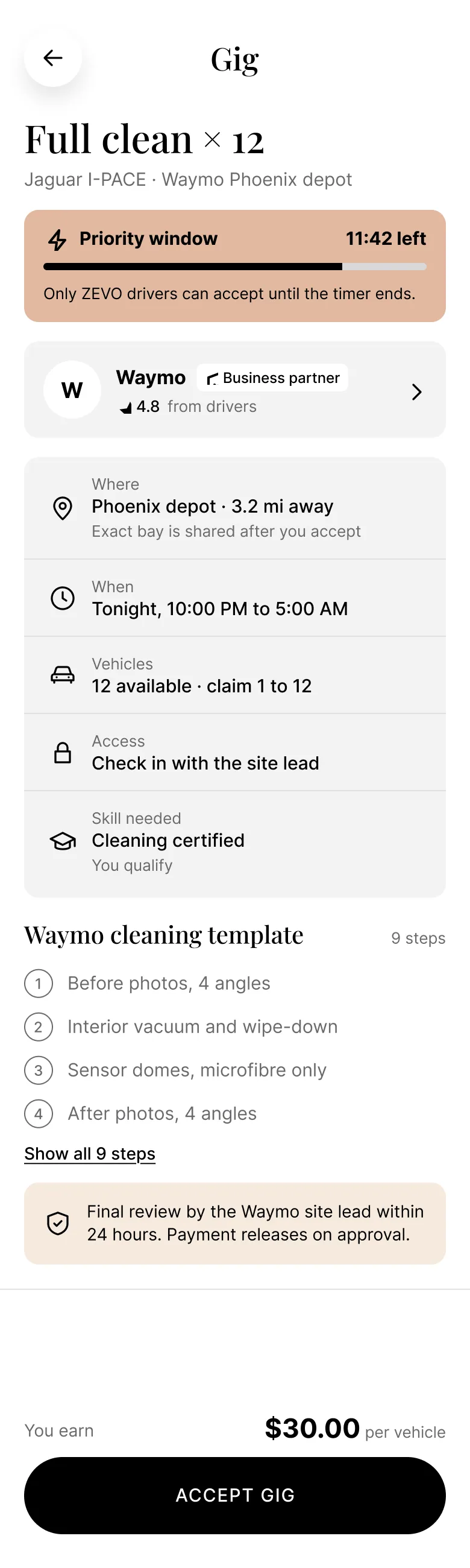
  • Gig detail for a full clean of 12 vehicles: a priority window countdown, the partner, where, when, vehicles, access and the skill needed, the partner's cleaning template steps, and You earn with an Accept gig button.

The driver app, state by state

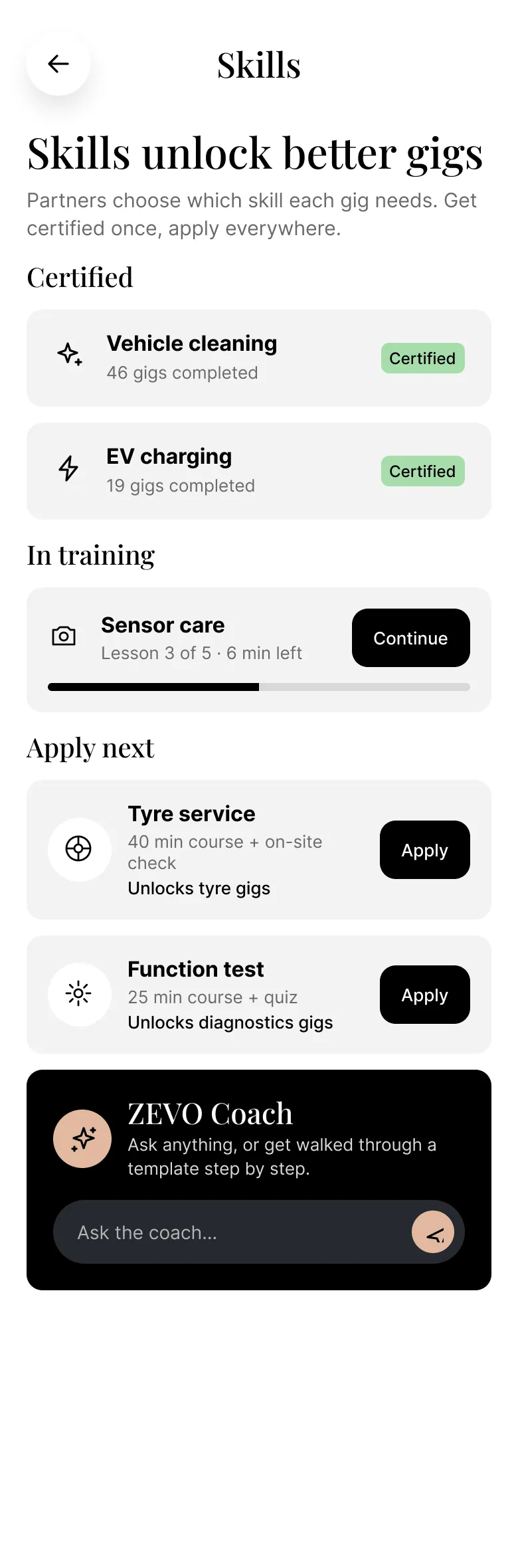
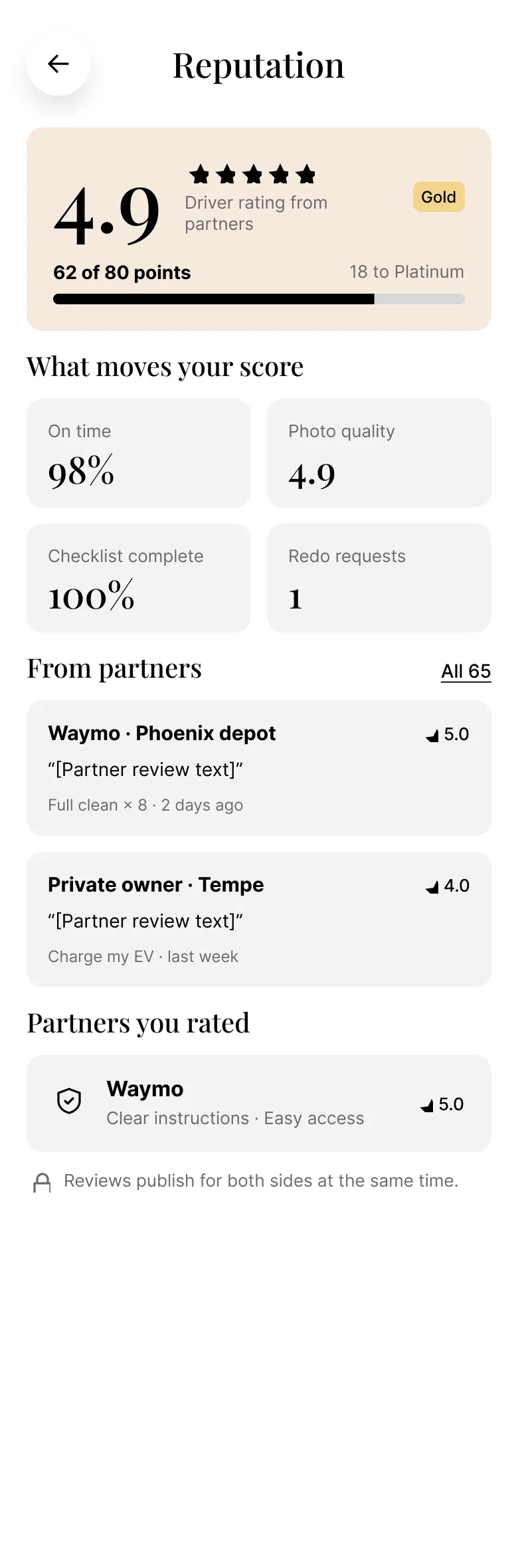
Three short sequences of the real screens: finding a gig, skills and reputation, and batch gigs with the coach.
Driver app home: Gigs selected next to Rent EV and Skills, a driver priority banner, a Where and Skill search, Your skills (cleaning and charging certified, sensor care to apply for) and priority gigs with their pay.
Gigs list near Phoenix within 10 miles: filter chips, 14 gigs with 3 in the priority window, and gig cards with the task, partner, rating, distance, pay and a priority countdown.
Gigs map of Phoenix: price pins and a cluster on a street map, the selected Full clean x 12 gig in a sheet at the bottom with its pay, and a View gig button.
Gig detail for a full clean of 12 vehicles: a priority window countdown, the partner, where, when, vehicles, access and the skill needed, the partner's cleaning template steps, and You earn with an Accept gig button.

From the home screen the driver searches by place and skill, scans gigs as a list or on a map, and opens one to see where, when, access, the skill needed and the template steps before accepting.

  1. Home
  2. Gigs list
  3. Gigs map
  4. Gig detail

The partner console

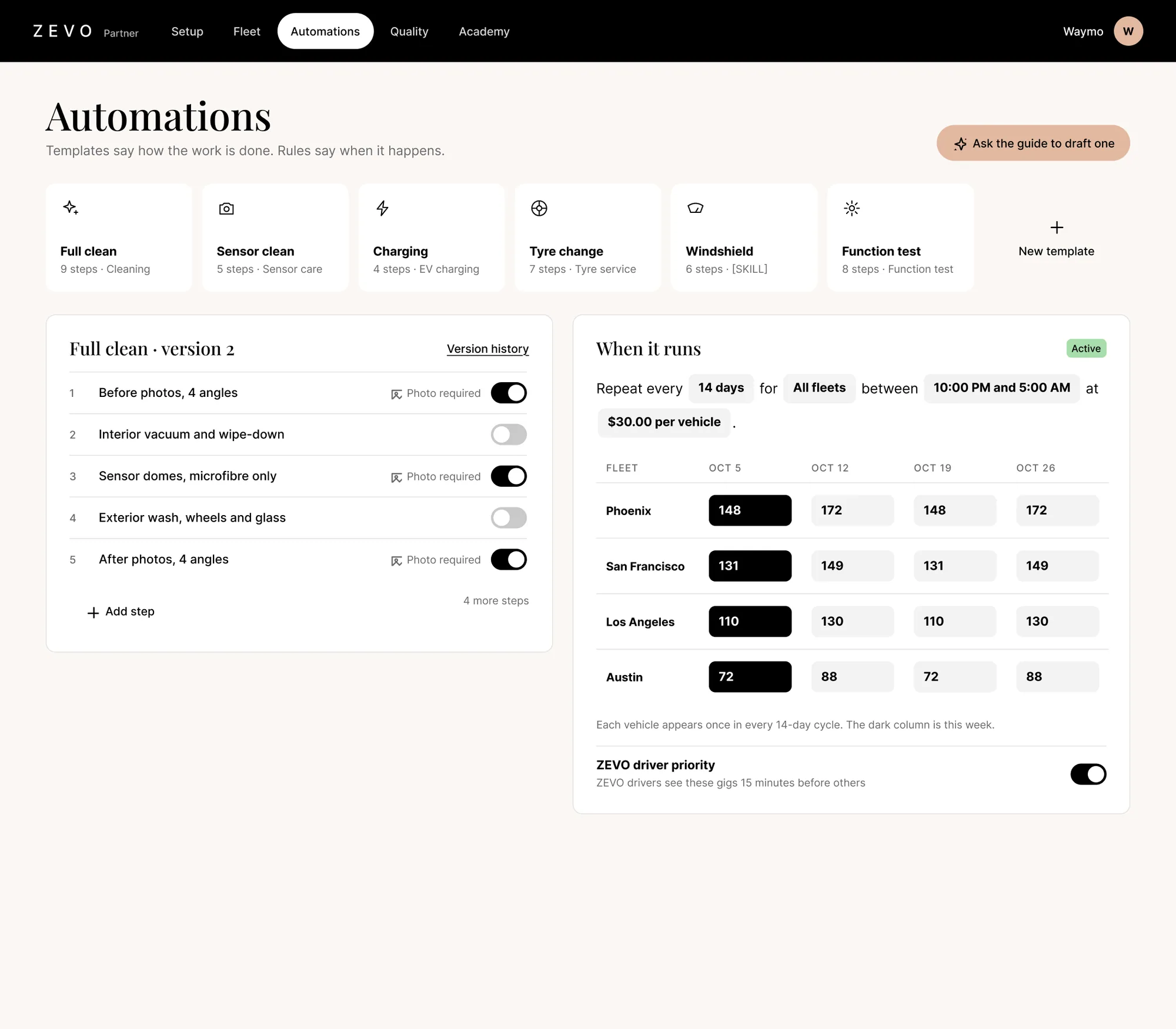
The partner's side on desktop: every gig on a map, the fleet by city, the templates and rules that create gigs, and quality and academy. Pick a screen.
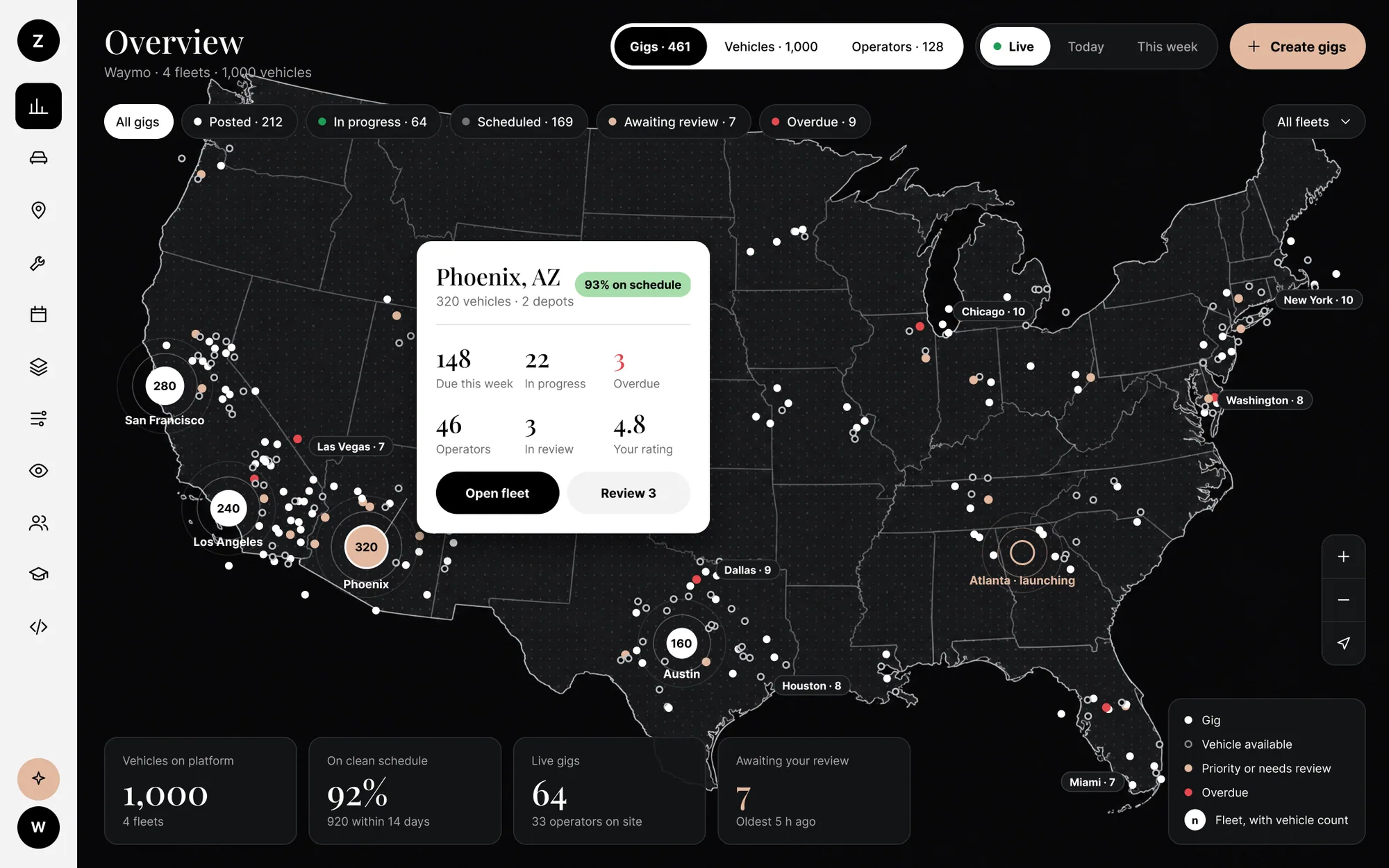
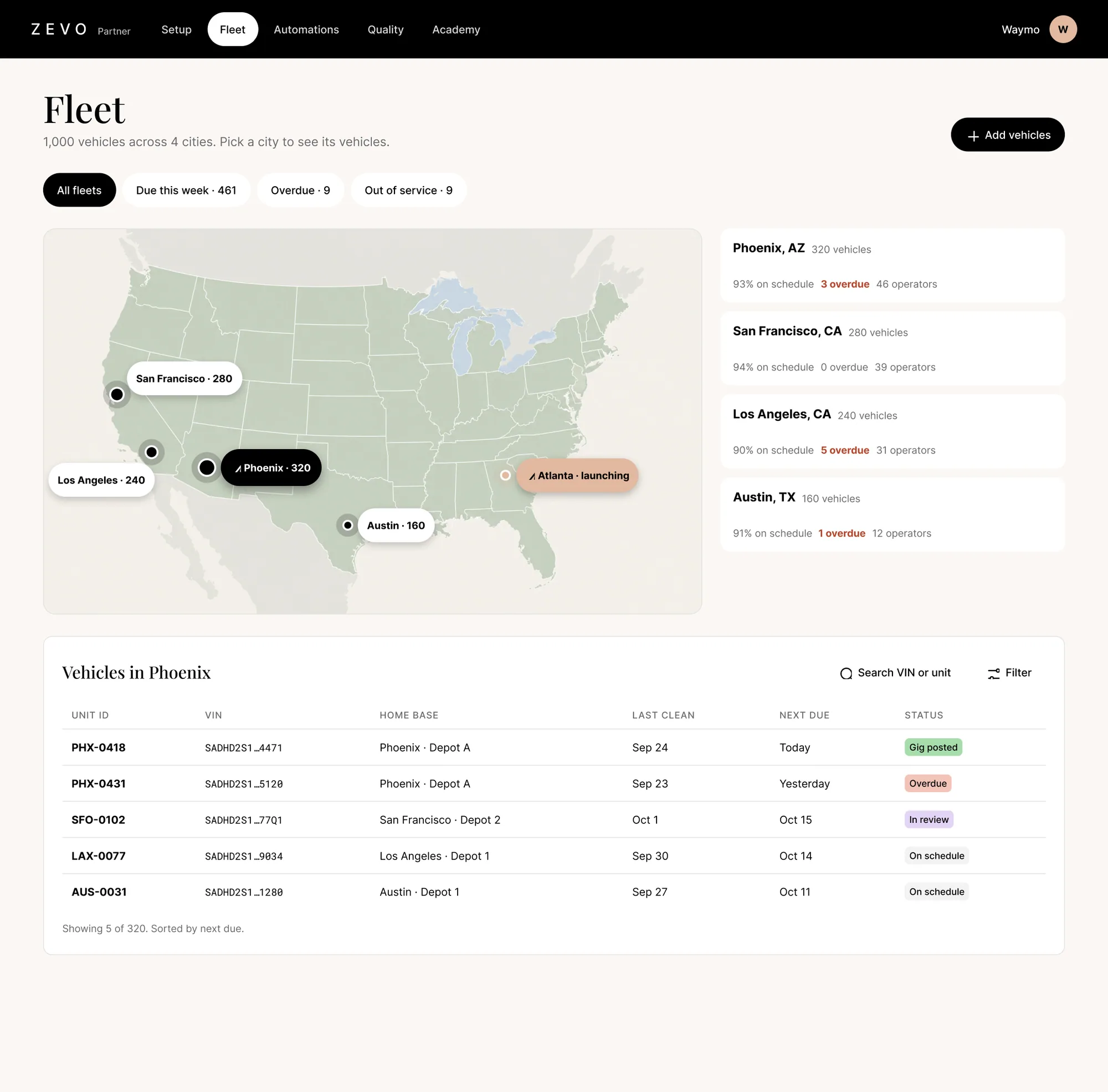
Partner console overview on a dark map of the United States: gig status filters, fleet clusters by city, a Phoenix card with gigs due, in progress and overdue, and totals along the bottom.
Overview: every gig by status, on a map of the fleets.